
Introduction
Have you ever tried to share a location that does not have a proper address? Perhaps it was a friend’s new house in a developing area. Maybe it was a hidden café in the mountains or a meeting point at a crowded event. In such situations, Google Maps offers a simple solution known as a dropped pin.
A dropped pin allows users to mark any location on Google Maps with precision. It helps people save locations, share exact spots, and navigate without relying on traditional addresses. Whether someone is travelling across India, exploring a new city or running a local business, a dropped pin can make location sharing much easier.
Today, millions of people use Google Maps every day. Yet many users still do not fully understand how powerful a dropped pin can be. From finding remote destinations to helping customers locate a business, this feature has become an essential part of modern navigation.
This guide explains everything about a dropped pin, including what it means, how it works, and how anyone can use it effectively.
What Is a Dropped Pin?
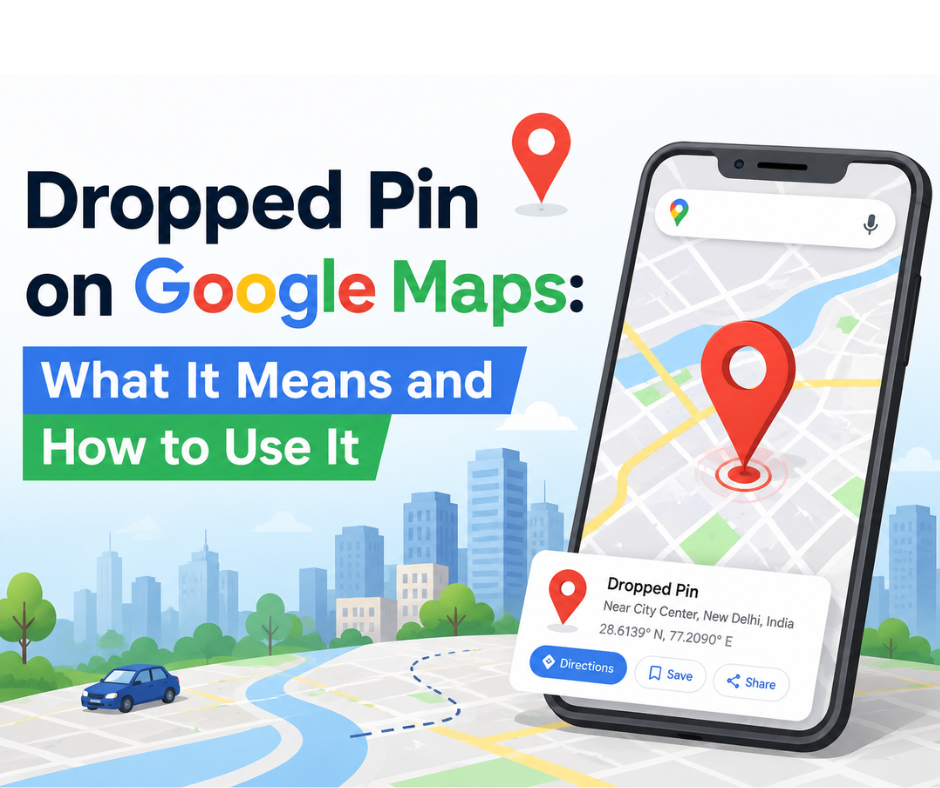
A dropped pin is a marker placed manually on a specific location within Google Maps. Instead of searching for a named place or address, users can simply tap or click anywhere on the map to create a pin.
The pin acts as a digital location marker. Once placed, it generates precise geographic coordinates that can be shared, saved, or used for navigation.
Think of it as placing a virtual flag on a map. That flag tells Google Maps exactly where the selected location is located.
For example:
- A traveller can mark a hidden waterfall.
- A real estate agent can share the location of a new property.
- An event organizer can guide attendees to an exact meeting point.
- A business owner can help customers find a shop located inside a complex market.
Without a dropped pin, many of these locations would be difficult to describe accurately.
Why Is a Dropped Pin Important?
Location sharing has become a daily necessity. People need accurate directions more than ever.
A dropped pin solves several common challenges:
Precise Location Sharing
Addresses are not always accurate. In many parts of India, streets may not have clearly marked names. A dropped pin removes confusion.
Better Navigation
Users can navigate directly to the pinned location using Google Maps.
Easy Discovery
Remote locations, beaches, tourist attractions, and newly developed areas can be marked easily.
Improved Customer Experience
Businesses can share exact locations with customers, reducing missed visits and delivery delays.
Time Saving
Instead of explaining landmarks, users can simply send a dropped pin.
How Does a Dropped Pin Work?
Google Maps uses GPS technology and geographic coordinates to identify locations.
When a user places a pin, Google Maps records:
- Latitude
- Longitude
- Map position
The system then creates a unique location reference.
Anyone receiving the pin can open it instantly and receive turn-by-turn navigation directions.
This process works on:
- Android devices
- iPhones
- Tablets
- Desktop computers
The technology behind the feature is sophisticated, yet the user experience remains simple.
How to Drop a Pin on Google Maps Using Android
Android users can place a pin in just a few seconds.
Step 1
Open Google Maps.
Step 2
Search for the general area if needed.
Step 3
Press and hold on the desired location.
Step 4
A red pin will appear.
Step 5
Tap the information panel to save, share, or navigate to the location.
The process requires only a few taps and works almost anywhere in the world.
How to Drop a Pin on Google Maps Using iPhone
The process on iPhone is very similar.
Step 1
Launch Google Maps.
Step 2
Find the location.
Step 3
Touch and hold the exact spot.
Step 4
Wait for the pin to appear.
Step 5
Use available options to save, share, or navigate.
Apple users can enjoy the same level of accuracy and convenience.
How to Drop a Pin on Google Maps Using Desktop
Desktop users can also create a dropped pin.
Step 1
Visit Google Maps in a web browser.
Step 2
Locate the desired area.
Step 3
Click on the exact point.
Step 4
A small grey pin will appear.
Step 5
Access location details from the information panel.
This method is particularly useful for business planning, travel research, and route management.
How to Share a Dropped Pin
One of the biggest advantages of a dropped pin is easy sharing.
Users can send a pinned location through:
- SMS
- Facebook Messenger
- Telegram
- Instagram Direct Messages
The recipient only needs to open the link to view the location.
This eliminates confusion and improves communication.
How Businesses Use Dropped Pins
Businesses across India increasingly rely on dropped pins to improve customer accessibility.
Local Stores
Customers can locate shops inside busy markets.
Restaurants
Food delivery drivers can reach exact entrances.
Hotels
Guests can find properties located away from main roads.
Real Estate Companies
Agents can share property locations instantly.
Event Organizers
Visitors can navigate directly to venues.
A simple pin often prevents delays and frustration.
Benefits of Using a Dropped Pin for Local Businesses
A business location is often the first interaction customers have with a brand.
Using a dropped pin provides several advantages:
Improved Customer Experience
Visitors reach destinations without confusion.
Better Delivery Accuracy
Drivers can locate addresses quickly.
Increased Trust
Clear directions create a professional impression.
Reduced Support Queries
Customers no longer need to call repeatedly for directions.
Enhanced Local Visibility
Businesses become easier to discover and access.
Common Mistakes When Using a Dropped Pin
Although the feature is simple, users sometimes make mistakes.
Pinning the Wrong Location
Always zoom in before dropping a pin.
Sharing Without Verification
Check the location before sending it.
Ignoring Navigation Preview
Review the route before travelling.
Not Saving Important Pins
Important locations should be saved for future use.
Avoiding these mistakes ensures a smoother experience.
Interesting Facts About Dropped Pins
Did you know?
- Google Maps serves billions of users worldwide.
- Millions of dropped pins are created every day.
- Emergency responders often use location pins for accurate navigation.
- Tourists frequently use dropped pins to save hidden attractions.
- Businesses use pinned locations to improve customer visits and deliveries.
These facts highlight how valuable the feature has become in everyday life.
Conclusion
A dropped pin is much more than a simple map marker. It is a practical navigation tool that helps people save, share, and discover locations with remarkable accuracy. Whether someone is planning a trip exploring a new city or helping customers find a business, a dropped pin makes the process faster and easier.
As digital navigation continues to evolve, precise location sharing will become even more important. Understanding how to use a dropped pin effectively can save time, improve communication, and create a smoother travel experience.
For individuals, businesses, and travellers alike, the dropped pin remains one of the most useful features available on Google Maps today.